Step 3: Code Preview
CodeBaker: Code Preview shows every file the template will write, still without touching your project. You can read each file, compare it with the version on disk and fix the generated text by hand.
The buttons are Cancel, << Back and Finish.
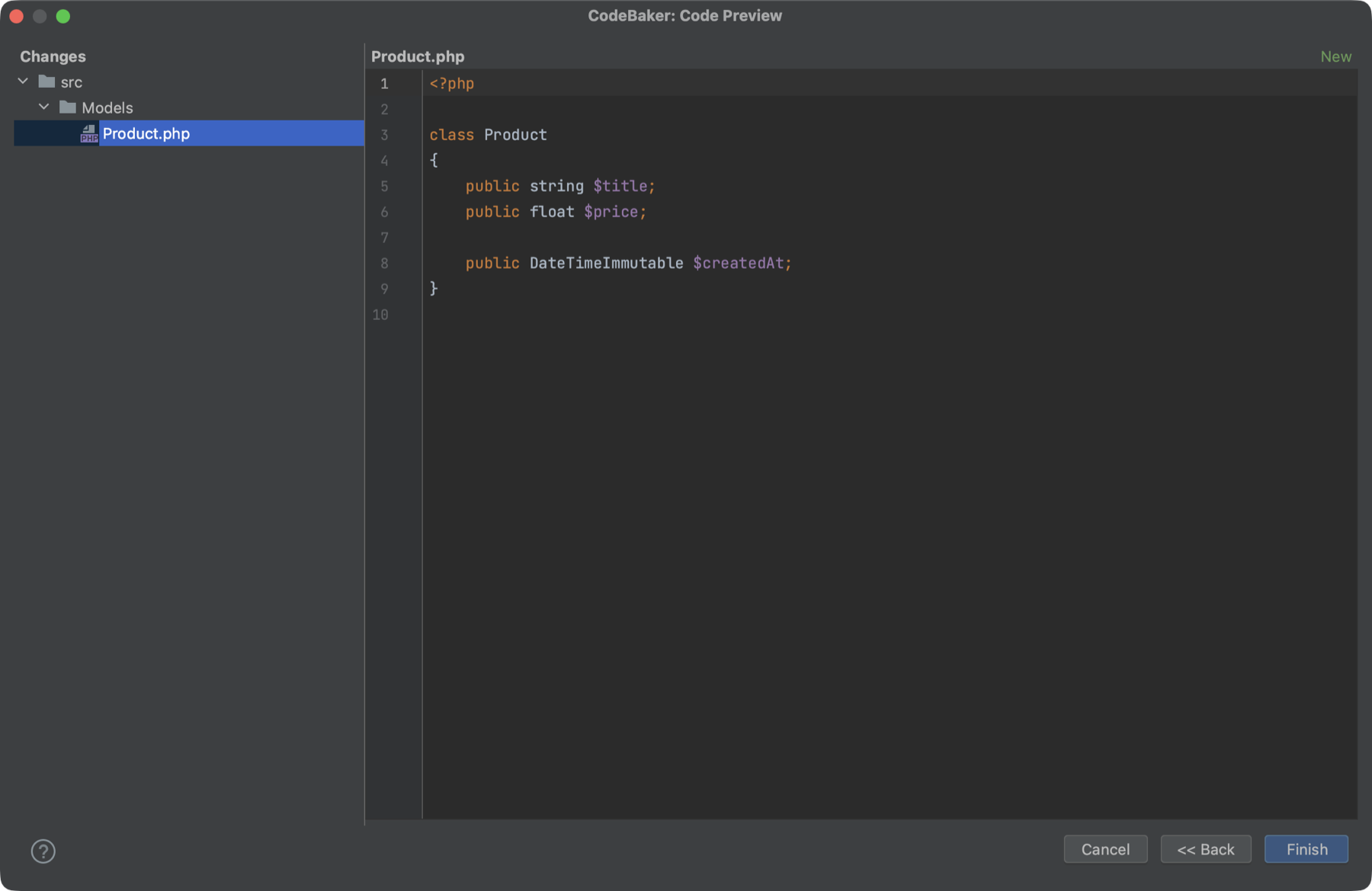
The two panes
Left: Changes. A folder and file tree of everything that will be written. Files are colored by status:
| Color | Status | Meaning |
|---|---|---|
| Green | New | The file does not exist yet. |
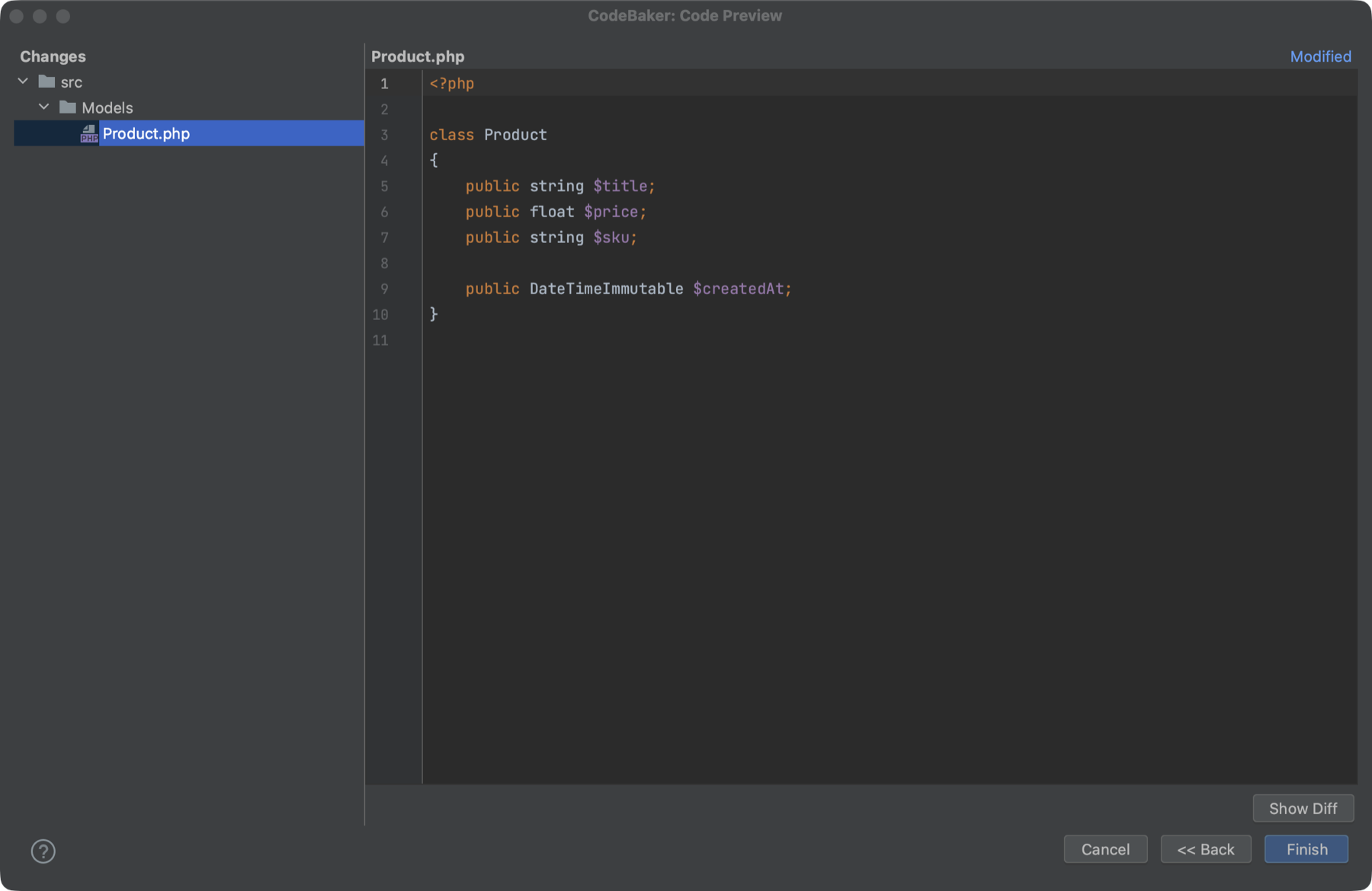
| Blue | Modified | The file exists and the generated content differs from it. |
| Orange | Edited | You changed the generated content in this step. |
| Default | Unchanged | The file exists and the content is identical. |
There are no checkboxes. Every file in the tree is written when you click Finish, and there is no way to skip a single file here. To keep a file out of the output, change the template or its mapping, or go back and change your values.
Right: editor. Click a file in the tree to open its generated content in an editor with syntax highlighting. The header shows the file name and its status. Until you select a file, the pane shows "Select a file to view content or make corrections".
Editing the generated code
The editor is editable, and your edits are what gets written. A file you change is marked with * in the tree, turns orange and gets the status Edited. If you undo your change so that the text matches the generated version again, it goes back to its original status.
Edits live only in this wizard session. If you go back to step 1 and click Next >> again, the pipeline runs again and the preview is rebuilt from the template, so make manual corrections last.
Comparing with the existing file
For Modified and Edited files, a Show Diff button appears under the editor. Double-clicking a file in the tree opens the same window for files that are not Unchanged.
The window is titled Compare Changes:
- The left side is Current File Content, the file as it is on disk. For a new file you edited, it is Generated by CodeBaker.
- The right side is Generated by CodeBaker, or Edited if you changed it.
- For a Modified file, the window has three panels, with Final Content in the middle. This is the version that will be written.
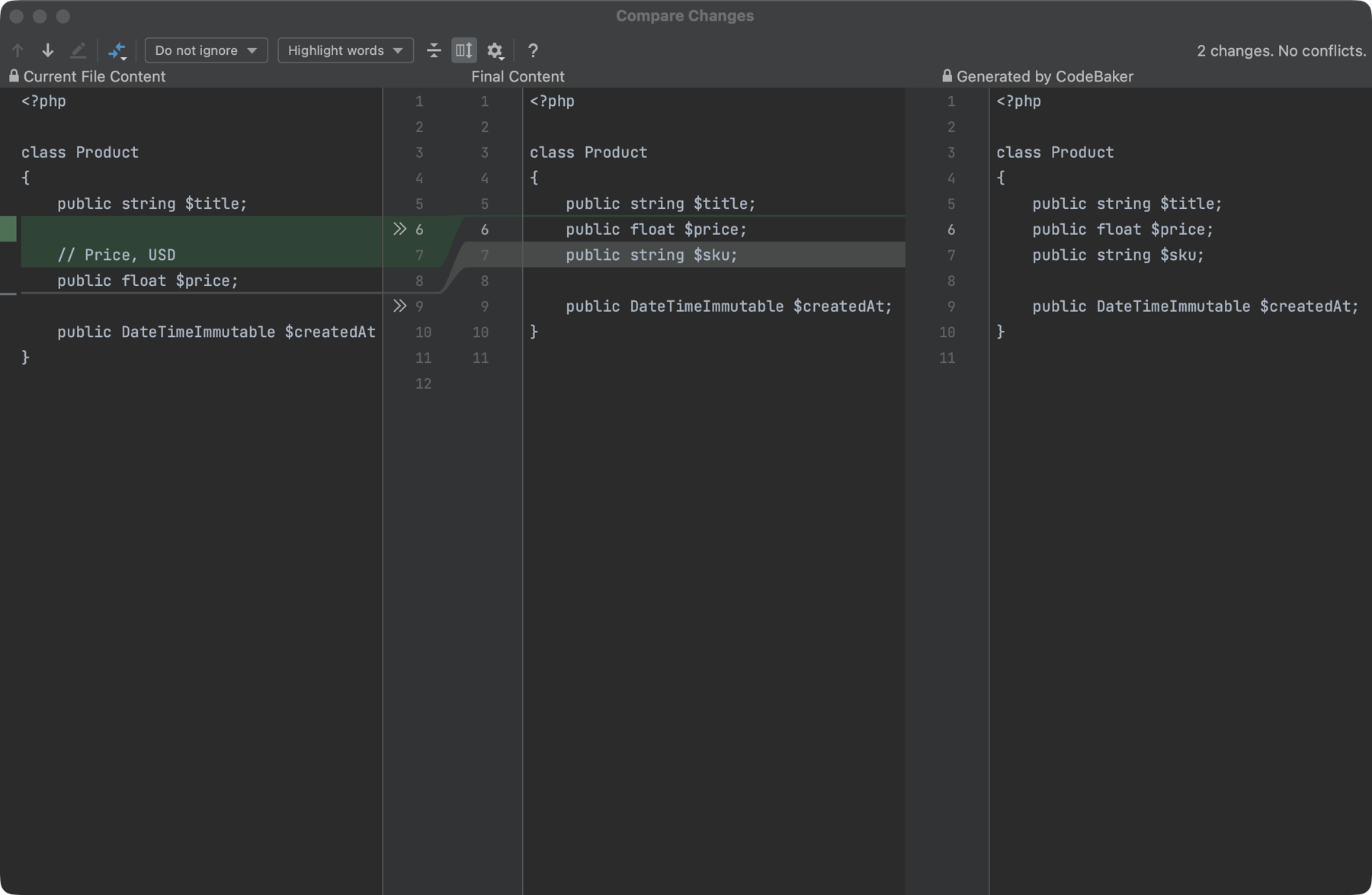
For a Modified file this is a manual three-way merge. Current File Content and Generated by CodeBaker are read-only. Final Content is editable: move a block into it with the IDE's diff arrows, or type in it directly, and your result is what gets written. CodeBaker does not merge or resolve conflicts for you.
Finish
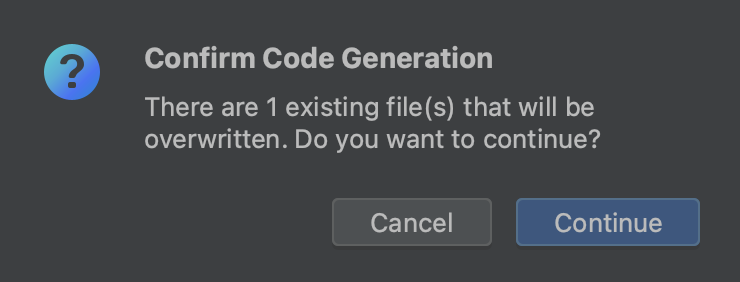
Click Finish to start the generation. If existing files would be changed, CodeBaker first asks:
There are N existing file(s) that will be overwritten. Do you want to continue?
The dialog is titled Confirm Code Generation, with Continue and Cancel. Choose Cancel to stay on this step.
Ordinary files that already exist are overwritten with the generated content. There is no automatic merge and no Skip or Conflicts panel; combining versions is done by hand in the diff window above. Two things behave differently:
- A file marked
seedin the mapping is written only the first time and kept as it is afterwards. - To update just one block inside an existing file, use the
inserttype from Advanced Templates.
Because existing files are overwritten, generate into a project under Git. The write is one undoable IDE action (see step 4), and git diff shows exactly what changed.
Next step
Finish moves on to Step 4: Code Generation.